The phase cockpit
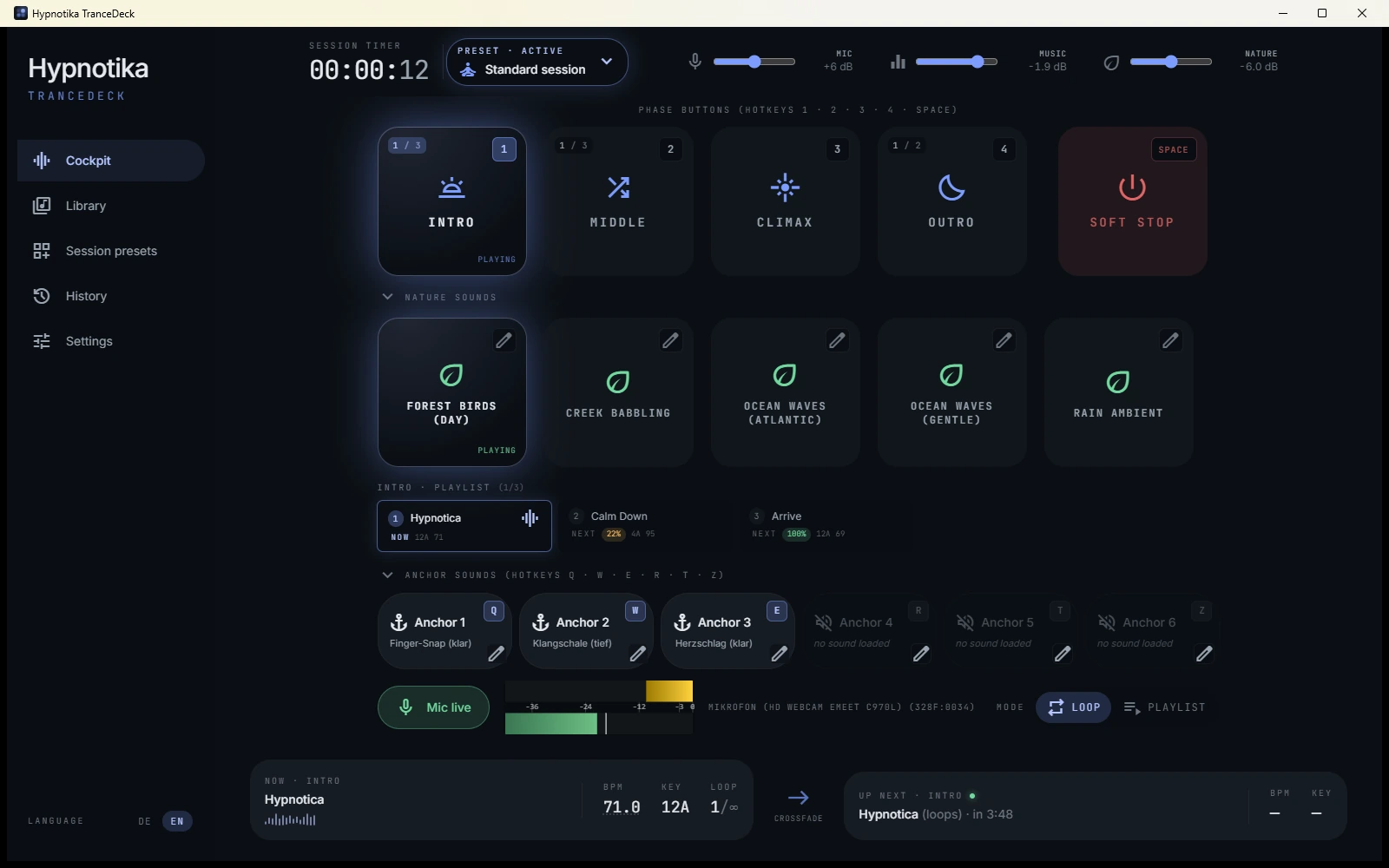
The main interface is four big buttons — Intro, Middle, Peak, Outro — plus a Soft Stop button (the gentle ending). Each piece of music is tagged with one of those four. When you click a phase button during the session, the software picks the track that follows best from the matching pile.
"Best" means: pitch and tempo fit the currently playing track, and this
track wasn't just played. On the keyboard, the number keys
1, 2, 3, 4 trigger
the phases, spacebar is Soft Stop, and Esc cancels a
pending switch.
Around those buttons the cockpit has grown: six anchor-sound buttons, five slots for nature sounds, a switch for playlist or loop mode, and an up-next display with countdown — more on each below. The music, microphone and nature-sound sliders show their level in dB, and the microphone level is adjustable right in the cockpit — no detour to the settings page; both stay in sync.
A second layer: nature sounds under your music
The cockpit has five nature-sound slots — forest, rain, ocean, fire, or whatever you assign. They run in parallel with the music: press one and it blends in softly; press another and the two ambiences cross-fade automatically (forest → ocean) without a bump — the music simply keeps playing.
The layer has its own level control and is deliberately not lowered when you speak — the room keeps sounding while your voice sits over it. Nature sounds are part of the session MP3, and Soft Stop fades them out together with the music. It even works without any music at all: pressing a nature slot starts a full session — timer and recording run as usual. All details in the nature-sounds guide.
Music is analysed automatically
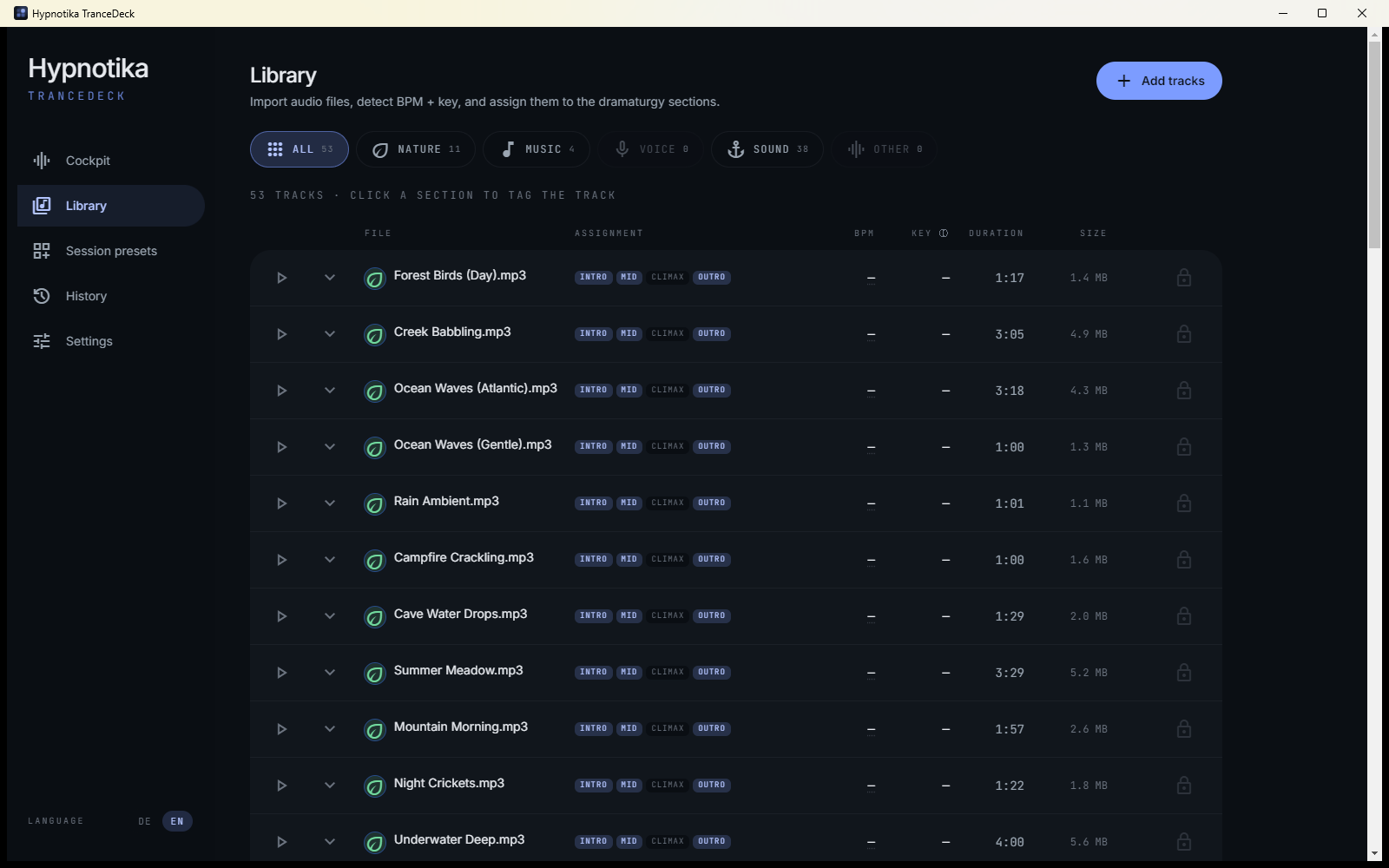
When you add a new track, the software does this in the background:
- Measures the tempo (in beats per minute, or "BPM" — more on that in a sec).
- If it reads a track at double speed (a typical detection error with calm music), the BPM value is corrected automatically.
- Detects the key of the piece (whether it sounds "bright" or "dark").
- Draws a waveform preview so you can see where the track is quiet and where it peaks.
All of that runs on your machine, no internet needed. If a track resists detection (rare, usually very short or experimental pieces), you can enter tempo and key by hand.
Importing never blocks the app: tempo and key analysis run in a separate background thread, so you can keep working — or start a session — while tracks are still being analysed. On first launch, a progress banner shows how far the bundled sounds have come.
Quick: what's BPM?
BPM stands for "beats per minute" — how many beats there are per minute of music. Calm pieces often sit at 60–75 BPM (roughly one beat per second, like a calm heartbeat). Anything above 90 BPM starts to feel faster. Which tempo fits which session phase is covered in our music guide.
Smooth transitions between tracks
To make two tracks "sound right" when switched, the software checks three things:
- Tempo closeness — the difference between BPM values should be small.
- Pitch compatibility — the keys of both tracks need to fit (that's what makes it sound "harmonic").
- Repeat protection — the tracks just played are excluded from the next pick.
If a track would be nearly perfect, but off by a tiny bit in pitch, Hypnotika can shift it automatically — without changing the tempo. You won't notice. Your client won't notice either. The transition simply sounds "right".
Loop regions inside a track
Each track can have three markers on the waveform:
- Start point — where playback begins (often you want to skip a slow intro)
- Loop start and loop end — a section that repeats if the next track takes its time
The editor has a magnetic snap effect: markers jump to nearby round seconds. That way you can set loop points cleanly without having to pixel-aim.
Transitions on the beat
When you trigger a phase switch, the software decides when exactly to cross-fade — immediately, or at the next full bar (every 4, 8 or 16 beats). This means the music never cuts in the middle of a phrase; it switches at a natural point.
For calm trance music we suggest 8 bars — at 80 BPM that's about 24 seconds of lead time. The current track has space to reach its emotional crest before the next one sets in.
Transitions stay click-free even when you switch several times in quick succession, and beat-matching keeps working after a track jumps back to its loop start — the mix never stumbles.
Playlist or loop mode — and the up-next display
A cockpit switch chooses how a phase behaves: playlist mode keeps playing through the phase's tracks one after another, loop mode holds the current track — it repeats its loop region until you decide otherwise. The up-next display at the bottom of the cockpit shows which track follows and counts down to the transition — no surprises mid-session.
Soft fade-out instead of a hard stop
Instead of a jarring stop, there's a Soft Stop — a configurable fade-out (default: 2 seconds) that lets the current track get gently quieter and cleanly closes the session recording.
The name is intentional. In a deep trance, an abrupt audio cut would be an unpleasant surprise for your client. Soft Stop is respectful — even when something goes off-script.
Six anchor sounds for the anchor technique
The cockpit has six anchor buttons that fire a short sound over the
running music — hotkeys Q · W ·
E · R · T · Z
(on a QWERTY keyboard, Y works as well). A singing bowl,
a bell or a finger snap becomes a trance anchor the client can
re-activate later. 38 matching sounds ship with the app, and you can
import your own.
Important for the anchor technique: mic-ducking deliberately does not apply to anchors — the sound stays at full level while you set the verbal cue, even as you speak. Anchors are captured in the session recording too, so the take-home MP3 reinforces them. Details in the anchor-sounds guide.
Saved sessions as presets
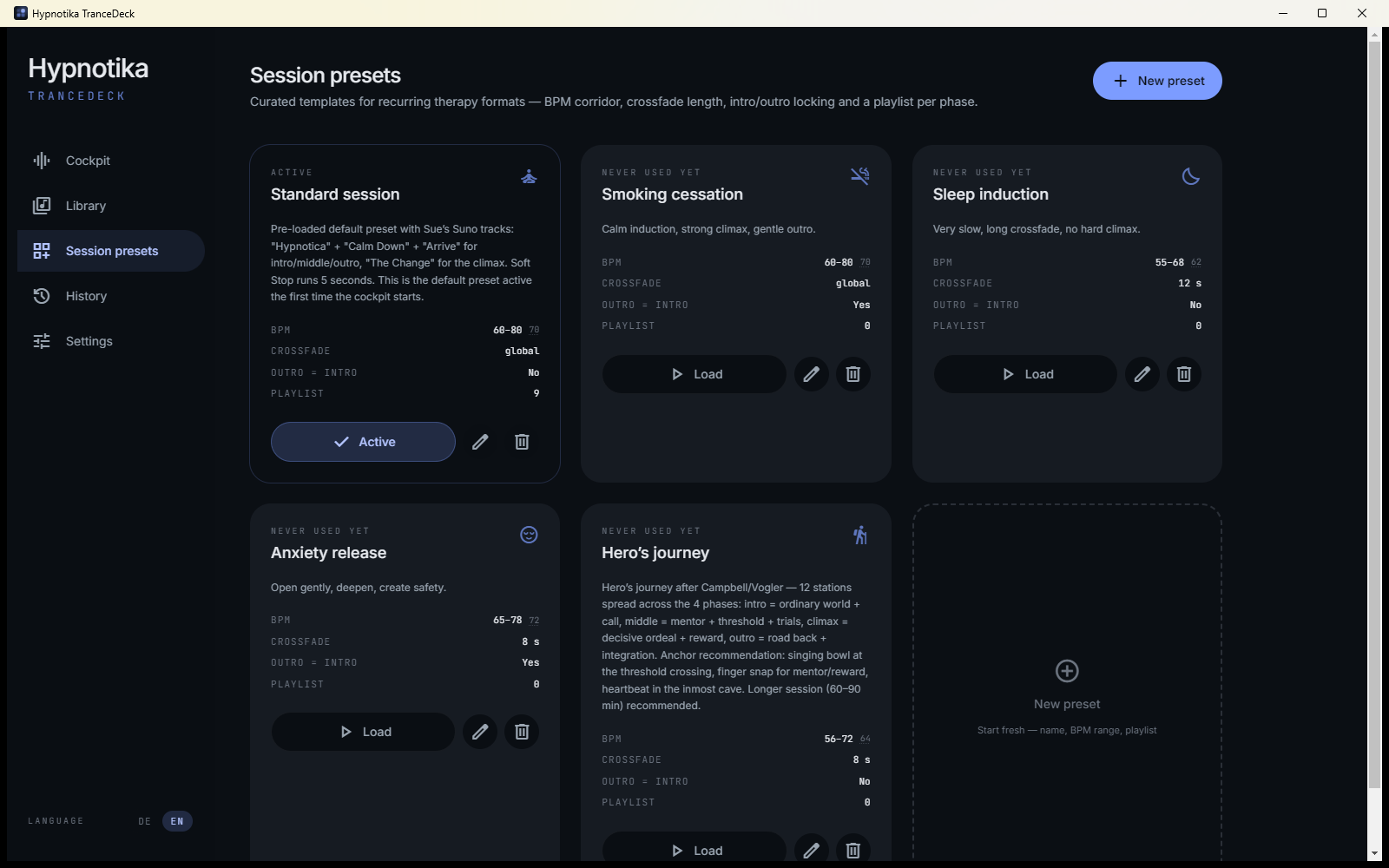
A full session setup — which tracks go into which phase, how soft the transitions, how long the fade — can be saved as a preset. One click, and the whole session is loaded for a specific client.
Typical examples: your own presets for "resource work" (slower, deeper), "goal work" (more dynamic with a clear peak), "children's hypnosis" (shorter, brighter).
Stream Deck, foot pedal, game controller
If you want your hands free, Hypnotika comes with global keyboard shortcuts that also fire when the app isn't in focus. With them you can map an Elgato Stream Deck, a foot pedal, a Loupedeck, or even a game controller.
On top, you can teach MIDI pads (like the Akai LPD8) — press a pad, the software remembers the mapping. Ideal if you do hypnosis standing and the deck sits on the desk. Details in the Stream Deck guide.
Coming up: a dedicated external-control integration for the Elgato Stream Deck (currently in beta) that talks to Hypnotika directly — no keyboard mapping needed.
Music dips automatically when you speak
The software listens in the background through your microphone and notices when you talk. Right at that moment, the music dips a little, and when you stop, it comes back up. This is called "ducking" in radio, and here it just happens automatically.
How much the music dips, how fast, and how long, you can set yourself. For hypnosis we suggest soft: the music stays audible, but your voice is clearly in front.
Record the whole session as MP3
As soon as the first music starts, a background recording begins. Music
and your voice (if the mic is on) are saved together as a single MP3
into a folder of your choice. Filenames follow this pattern:
2026-04-20_Session_19-23-14.mp3.
Typical uses: your own reflection after a session, review with the client, or — with written consent — as an audio file for them to take home.
⭐ Voice quality enhancement — built in, automatic, no extra cost
Even without a professional microphone, Hypnotika TranceDeck delivers a clean-sounding recording. Three improvements run automatically in the background:
- Auto-compression: A built-in voice compressor makes quiet hypnosis suggestions audible and smoothly tames louder transition instructions. The recording gets a consistent level whether you whisper or speak normally.
- Background noise removal: Optional toggle — the app uses built-in AI noise suppression to filter air conditioning, keyboard clicks and light hum out of the recording.
- Optional reverb: If you want, add a light room reverb to your voice. Three rooms to choose from: living room (small, intimate), studio (medium, professional) or cathedral (large, dramatic). Strength via slider. Affects the recording only — no delay effect in live contact with clients.
This means you and your clients hear a recording quality close to a studio sound — without having to invest in expensive audio hardware. Want a pro mic anyway? Our blog article compares 11 models in 3 price ranges.
Alongside OBS / VoiceMeeter
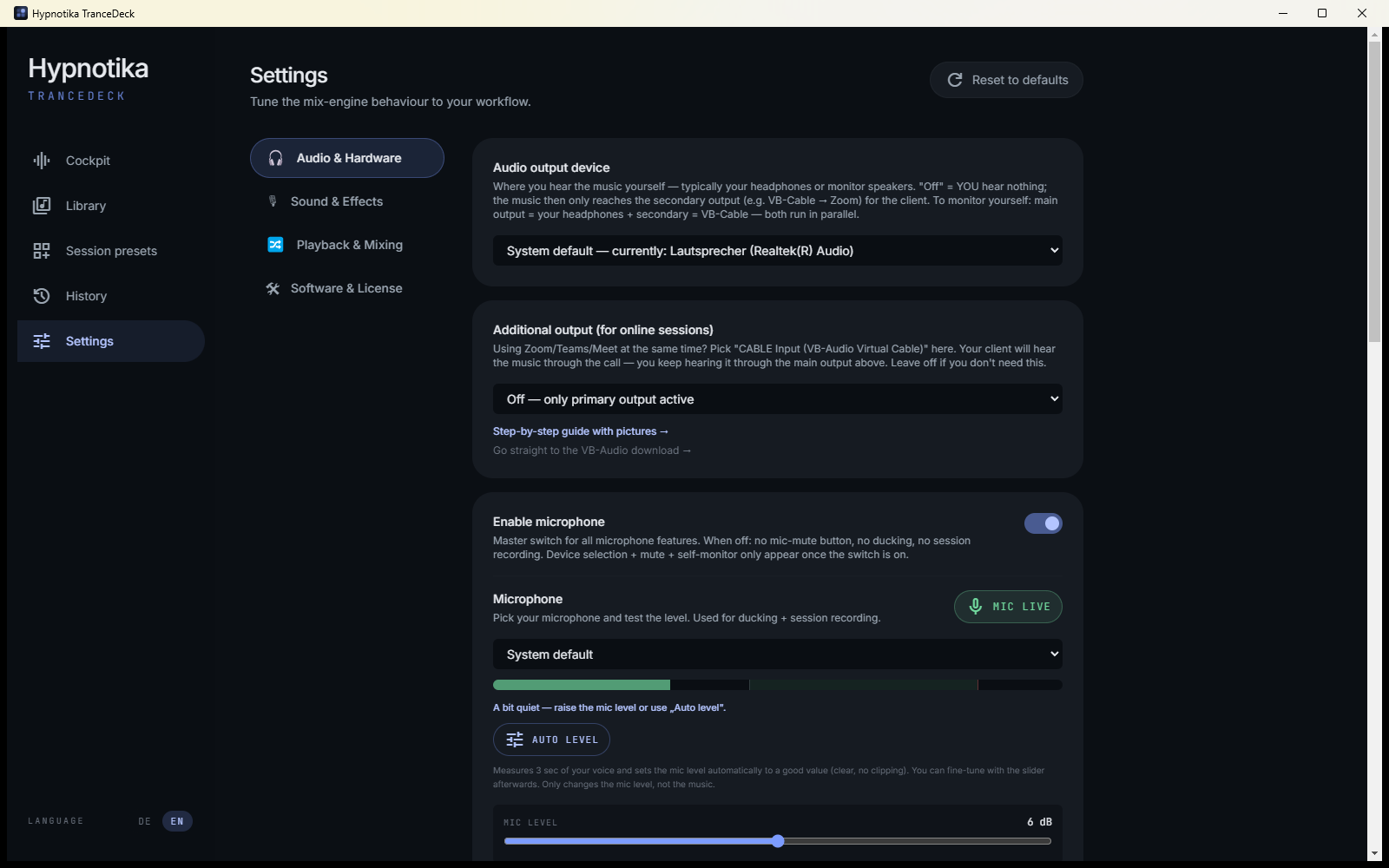
Already running OBS or VoiceMeeter (for YouTube videos, webinars or stream capture)? Use Hypnotika as a pure music source — no extra switch, just via the settings: route the secondary output to your virtual cable (VB-Cable) and turn off the microphone in Hypnotika. Then only the music (with the anchor sounds and nature sounds) goes out, and your existing setup handles voice and mixing. Turn off the built-in recording separately if OBS records.
Small touches
- Fast start: the window and your library appear immediately — sounds finish loading in the background, so you're ready before the client sits down
- Last 2 tracks aren't picked again (configurable)
- dB readouts on the music, microphone and nature-sound sliders
- Switch between German and English while running
- Setup wizard on first launch — detects VB-Cable automatically if installed and lets you configure both audio outputs (e.g. headphones for you, virtual cable for Zoom)
- One click from Settings to your recordings folder and to the session history — with a clear separation between the session log (text) and the MP3 recording
- Each audio-output option (off / secondary / Zoom setup) is explained right where you choose it
- Daily update check (no tracking, switchable off anytime)
- Factory reset — wipe all data, restart from zero
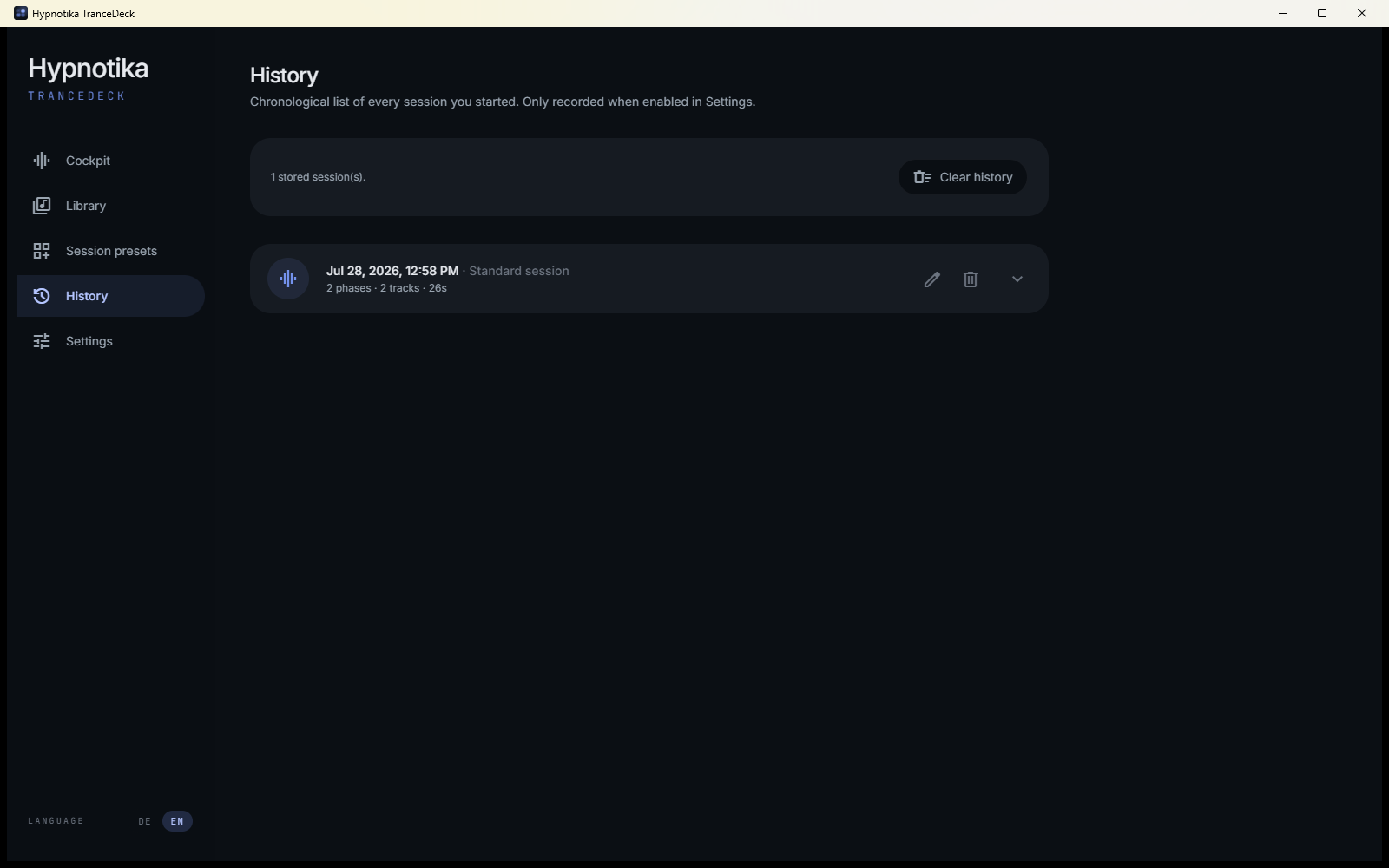
- Optional session history (local only, nothing leaves your machine)
First steps
The getting-started guide walks you through your first import, the markers and the first phase switch in ten minutes.
For the curious: what's under the hood
Made it this far? Kudos. As a reward, a quick peek for the nerds among us — at full jargon risk, but with a wink:
Hypnotika runs as an Electron application (a desktop window built with
web technology). The audio analysis uses essentia.js — a
research library from music information retrieval, compiled to
WebAssembly and running in the browser. BPM detection gets a second
opinion from web-audio-beat-detector; two independent
methods produce more robust results than one.
Pitch compatibility follows the Camelot Wheel — a graphic system from the DJ world that lays all 24 musical keys out so that neighboring numbers blend well. "8A" is A minor, "8B" is C major — they sit next to each other softly. Hypnotika scores candidates internally on a 0.0 to 1.0 scale and picks the highest at random (with a lockout on the last two hits, so you don't always hear the same "favorite track").
Pitch shifting uses SoundTouchJS — a port of the
SoundTouch library that powers Audacity's time-stretching, among
others. The renderer precomputes the shifted track into a buffer in
the background, so switching doesn't cause a CPU spike.
Voice detection for ducking runs the Silero VAD model (VAD = Voice Activity Detection), a neural network shipped as an ONNX file and executed in the browser — fast, quiet (pun intended) and offline. It has far fewer false triggers than classic volume-threshold gates.
If all of that sounds highly technical — that's the point. On top, it's as simple as possible. Underneath, it's as precise as possible.