Published · 9 min read · by SuePrise
The best microphone for hypnosis sessions — online and in person
A good microphone matters more in hypnosis than most people realise. Clients listen to your voice through headphones in dark rooms — every bit of hiss, every harsh consonant, every pitch jump pulls them out of trance. Here's a practical comparison: concrete models in three price ranges, plus the theory behind them (proximity effect, condenser vs. dynamic, room acoustics) — specifically for hypnosis coaches. And because the question keeps coming up, we close by answering whether a single microphone covers hypnosis and your own podcast. One point up front that can save you real money: the biggest problem with quiet voices — hiss — can today largely be removed from the recording by AI.
One more thing up front, because it often gets lost: this isn't only about online sessions. A microphone pays off in three situations — and the requirements are identical in all three:
- Online sessions over Zoom, Teams or Meet — your voice travels down the line, and the microphone is the only bridge.
- In-person sessions where your client wears headphones. Increasingly popular, because the music then sits right at the ear instead of echoing around the room — and because you can blend your voice into the music deliberately instead of talking over it. Through the microphone your voice arrives just as close and calm as the music does. Same demands as online.
- Recordings to take home. The session as an MP3 for later is the most demanding case of all: what passes live is instantly audible on repeated listening through headphones.
Why hypnosis has different needs than podcasting or voiceover
In hypnosis we speak quietly, sometimes whispering. That asks something different from a microphone than a podcast at normal speech levels: the preamp has to be turned up further so that quiet suggestions come through cleanly — and that's exactly when the microphone's self-noise becomes audible. On a recorded session that the client plays back at home through headphones, any hiss stands out immediately and breaks the depth of trance.
Before you spend money
There is an AI working against exactly this hiss — and it is already built into Hypnotika TranceDeck.
VoxClean listens to your recording and removes everything that isn't your voice: air conditioning, fan hum, light room reverb — and microphone hiss. Your voice is preserved in full, only the interference disappears. The model runs entirely offline on your computer (about 17 MB, no data goes online — GDPR-wise uncritical), and its strength is freely adjustable.
What that means in practice: a simpler microphone gets closer to an expensive one than the spec sheets suggest — and a mobile clip-on mic only becomes truly usable for recorded sessions because of it. Software cannot replace a good microphone; but it moves the threshold down noticeably. How it works alongside compression and ducking →
Still, choosing well pays off — the cleaner the signal arrives, the less the software has to do. Two fundamentally different microphone types come into play:
- Dynamic microphones are robust and reject room noise strongly, but need plenty of input level. They work best when you're close to them (5–15 cm from the mouth).
- Condenser microphones are more sensitive and often sound more detailed, but they also pick up every reverb, every air conditioner, every traffic sound. They need a quiet, acoustically treated room.
The rule of thumb for hypnosis: dynamic + close for a dry, intimate voice; condenser + treated room for a softer, airier voice. Both paths work — what matters is which fits your practice setup.
The three routes to your computer — at a glance
Before we get to individual models, the question that causes the most confusion when buying: how does the microphone actually reach the computer? There are exactly three routes — and the middle one is why XLR microphones look pricier at first glance than they are.
Prefer to compare right away? At the end of the article you will find a table with every model — connection type, price, self-noise, suitability for quiet voices and podcast readiness side by side.
USB microphones (entry, plug-and-play)
RØDE NT-USB+ — approx. €150–190
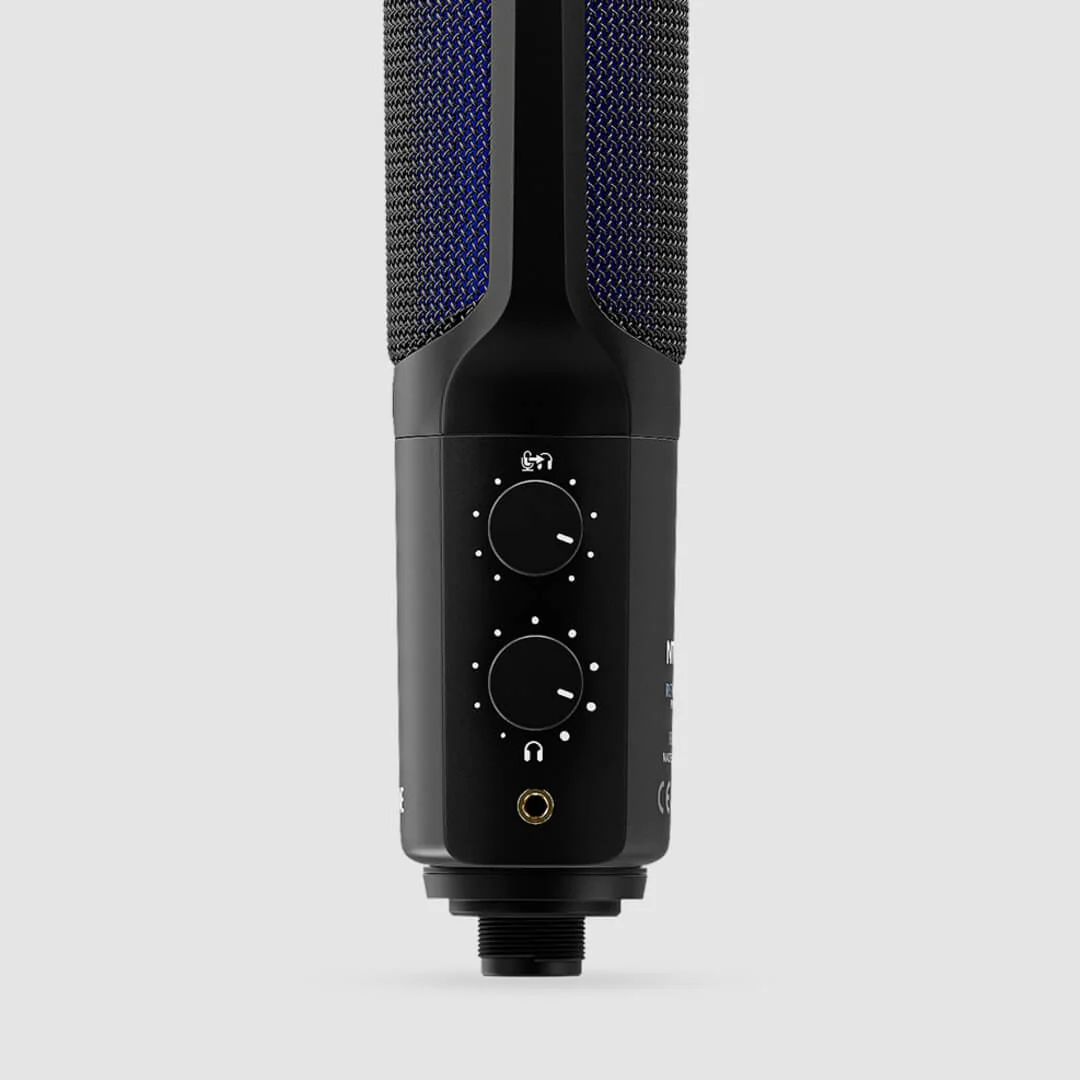
Cardioid condenser, USB-C, integrated headphone output for direct monitoring. Sounds warm and detailed — works well at quiet speech levels. Built-in pop filter and internal DSP for noise reduction.
Strengths for hypnosis: Very low self-noise for a USB mic,
soft top end, whispered suggestions come through cleanly. Plug-and-play —
no audio interface needed.
Weaknesses: As a condenser, sensitive to room reverb. Needs
an acoustically calm space (curtains, carpet, soft furniture).
Ideal for: Beginners working without an audio interface
who care about sound quality.
Shure MV7+ — approx. €280–320
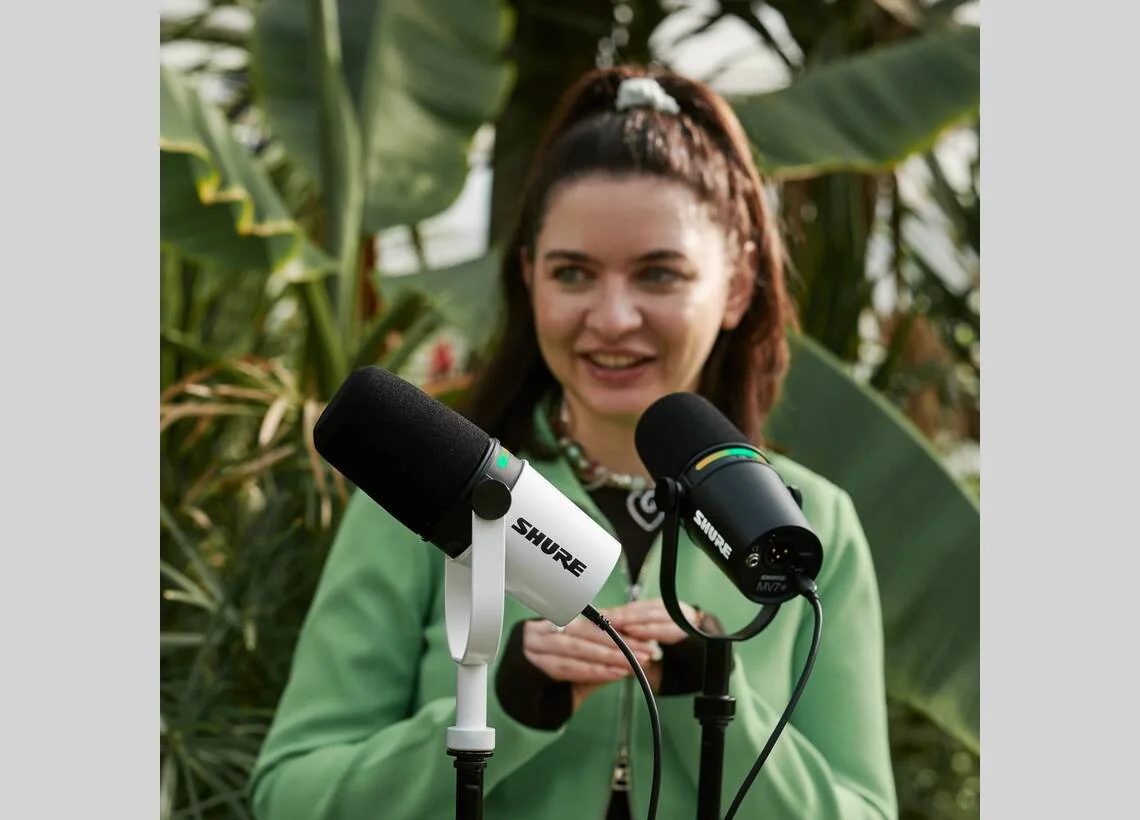
Hybrid microphone with USB and XLR connection, dynamic cardioid. Successor to the MV7. Built-in DSP with auto-level, voice isolation, and a touchstrip on the mic for adjusting levels.
Strengths for hypnosis: The dynamic principle rejects room
noise strongly — even untreated rooms sound clean. Strong proximity effect
gives a very full, calming voice. USB+XLR makes a later pro upgrade possible
without replacing the microphone.
Weaknesses: Needs proximity (5–15 cm) and decent input
level. At very quiet whispering from 30 cm distance, it gets marginal.
Ideal for: Mid-range, the "growing-with-you" mic — start
today, upgrade later.
Blue Yeti — approx. €100–130
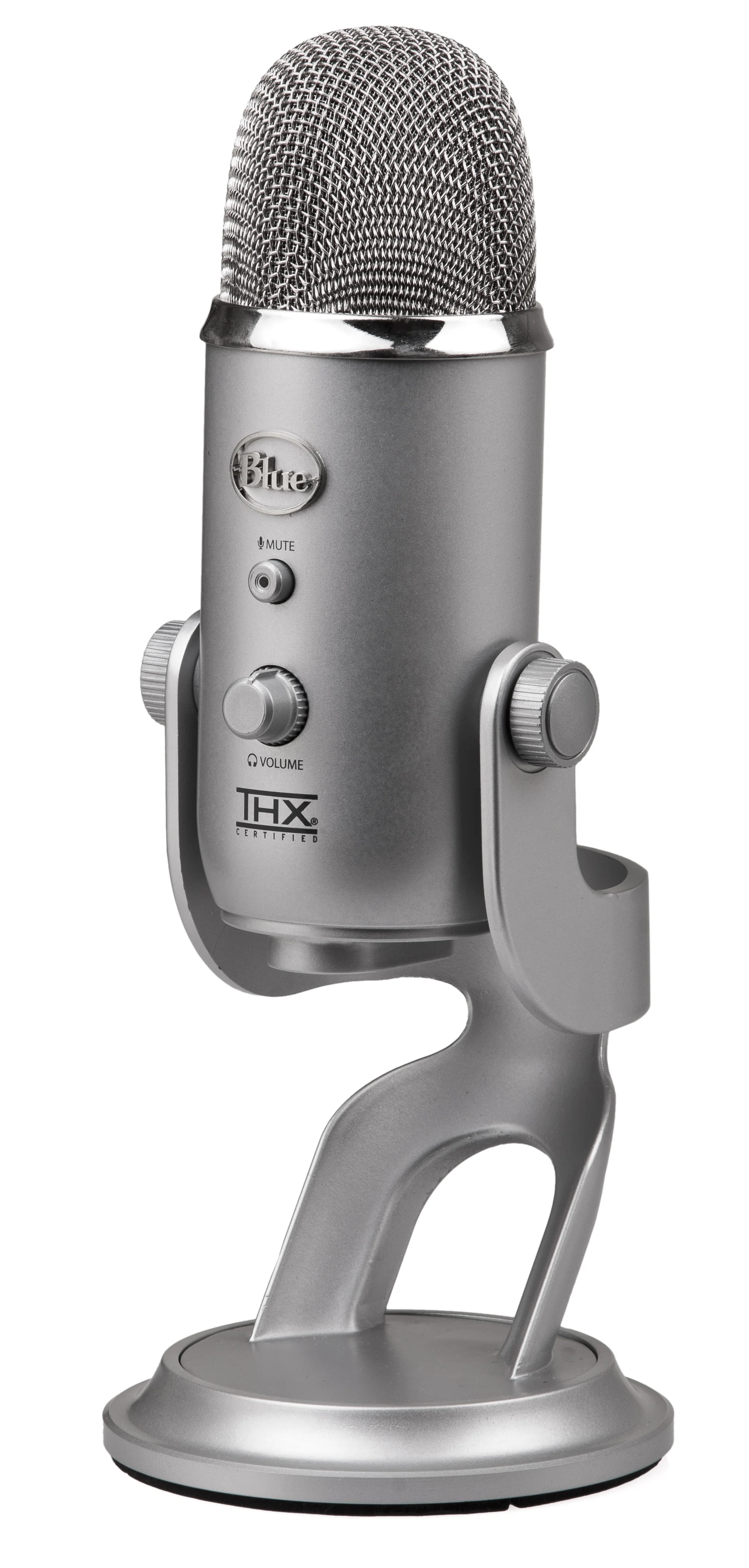
A classic, USB, four switchable polar patterns. Honest assessment: a solid price-performance winner for all-round use, but not ideal for hypnosis.
Strengths: Cheap, reliable, plug-and-play, well-documented.
Weaknesses for hypnosis: Audible self-noise at quiet voice
levels, tends towards metallic top end, very sensitive to desk vibrations
(boom arm + shock mount mandatory). Sounds more "radio-bright" than warm.
Recommendation: Only if your budget is hard-capped at €100.
If it's already on your desk: VoxClean pulls a good
part of that hiss back out — I still wouldn't base a new purchase on it.
Otherwise, go for the NT-USB+ or a used MV7.
XLR microphones (pro setup with audio interface)
How does a microphone like this actually reach the computer?
Unlike a USB microphone, an XLR mic does not plug into your computer directly — it has no USB socket at all. There is always a small box in between: the audio interface. The chain looks like this:
Microphone → XLR cable → audio interface → USB cable → computer
- The XLR cable connects mic and interface. Watch the type: XLR male to XLR female (the three-pin round connectors). Three metres cost from about €7.
- The audio interface is amplifier and translator in one: it lifts the very quiet microphone signal and converts it for the computer. Entry-level units like the Focusrite Scarlett Solo start around €105. Important for us: it needs enough clean gain — that's where cheap interfaces fail with quiet voices.
- The USB cable runs from the interface to your computer. From here it behaves like a USB microphone: no driver needed, and in Windows, Zoom or Hypnotika the interface appears as the mic source (e.g. "Scarlett Solo USB"). The microphone's own name never shows up — the computer only knows the interface.
- With condenser microphones (e.g. AT2020, NT1) one more step: switch on 48 V phantom power at the interface, otherwise it stays silent. Dynamic mics like the SM7B don't need it.
It sounds like more work than it is — once set up, everything stays plugged in. The reward: every part can be replaced individually, and the chain lasts 15 years. If you'd rather not have that setup, take a USB microphone — or a hybrid model like the MV7+ that does both.
Shure SM7B — approx. €400–450
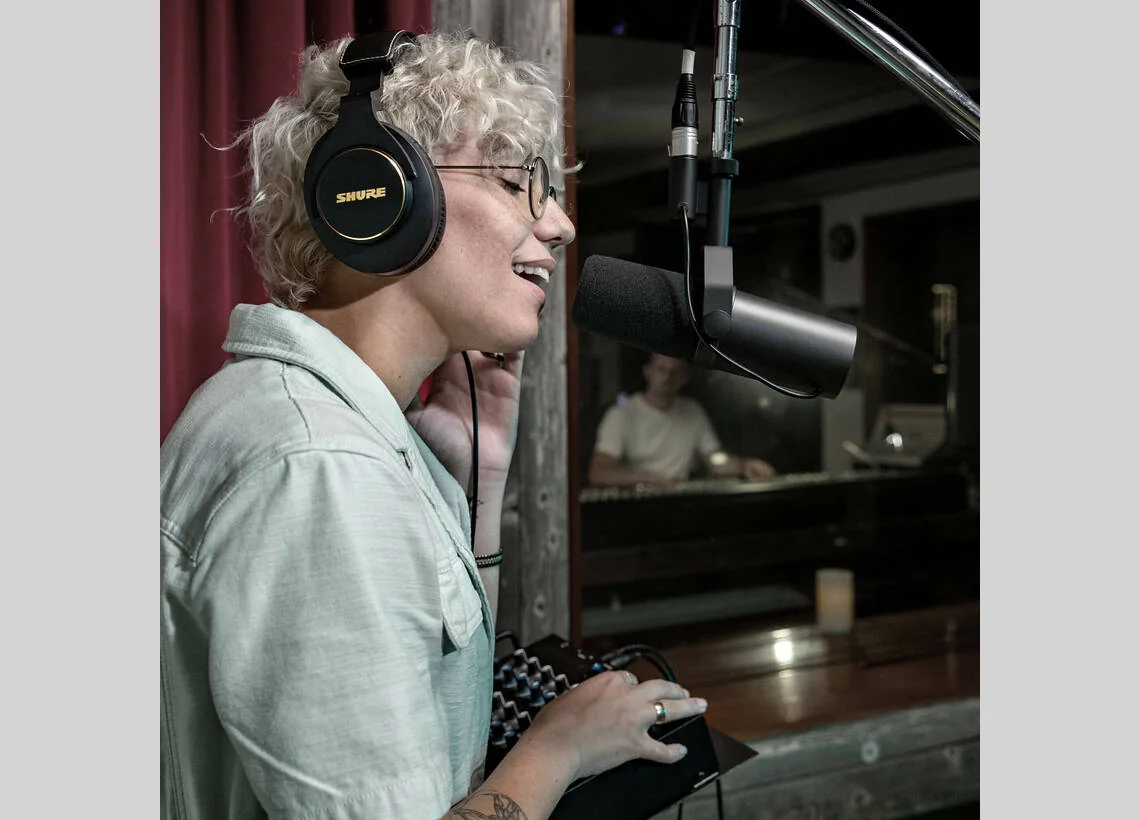
The industry standard for voice-focused recording — used by well-known podcast studios and many audiobook productions. Dynamic, cardioid, very robust, built-in pop screen.
Strengths for hypnosis: Extremely warm, full sound with
pronounced proximity effect. Excellent off-axis rejection — air conditioning,
keyboard noise, traffic largely disappear. Sound character is "close to the
ear", which is exactly right for trance induction.
Weaknesses: Needs a strong preamp. For normal speaking
volume, 60 dB of clean gain is the rule of thumb — for a quiet hypnosis voice
it is more like 65–70 dB. Budget interfaces reach their limit there. An
inline preamp like the Cloudlifter CL-1 (around €160) or
sE Electronics DM1 Dynamite (around €100) helps, but only so
far: with the gain wide open, what you mostly hear is the microphone's own
amplified self-noise rather than the preamp's — the real gain is around
3–6 dB. On a modern, low-noise interface a booster often adds little; on
older or portable gear it makes a clear difference.
Ideal for: Professional hypnosis coaches with a dedicated
practice room and a focus on recording.
What the complete setup costs — two routes to the same result:
- Route 1 — SM7B plus amplification help: microphone from €390 + interface from €105 + Cloudlifter €160 + cable ≈ €660. The classic route, but with one more box in the signal path.
- Route 2 — SM7dB, amplifier already built in: microphone from €510 + interface from €105 + cable ≈ €620. Same capsule, same sound, one less device on your desk — and a switch turns the amplification off, at which point it behaves like a regular SM7B.
Either way you land around €600–700. Buying new today and not keen on extra boxes? Take the SM7dB. Already own an SM7B? Add a booster.
Electro-Voice RE20 — approx. €480–550
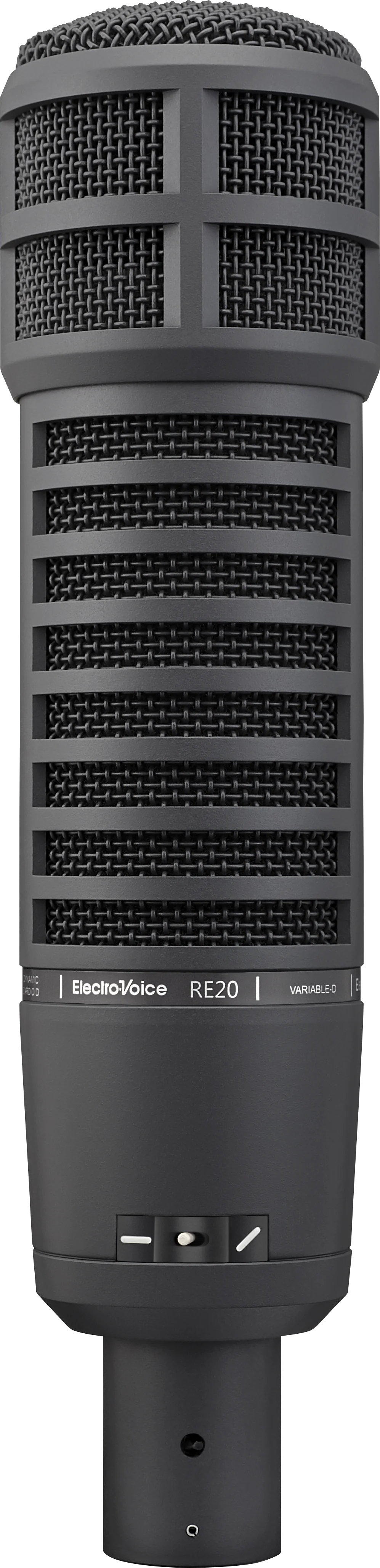
Broadcast classic, dynamic with Variable-D technology. Variable-D means the proximity effect is constructively reduced, so the voice sounds even when you change distance to the mic.
Strengths for hypnosis: Very even sound — even when you move
your head or change sitting position, the voice stays constant. Good for
sessions where you're not pinned to one position.
Weaknesses: Reduced proximity effect means: less of that
warm, full bass boost many hypnotists want. Sounds more neutral than
"intimate". Heavy and large.
Recommendation: Only partly suited for classical hypnosis.
If you want the trance-typical bass-warmth, the SM7B serves you better.
The RE20 makes sense if you run sessions standing up or with a lot of movement.
Audio-Technica AT2020 (XLR) — approx. €90–110
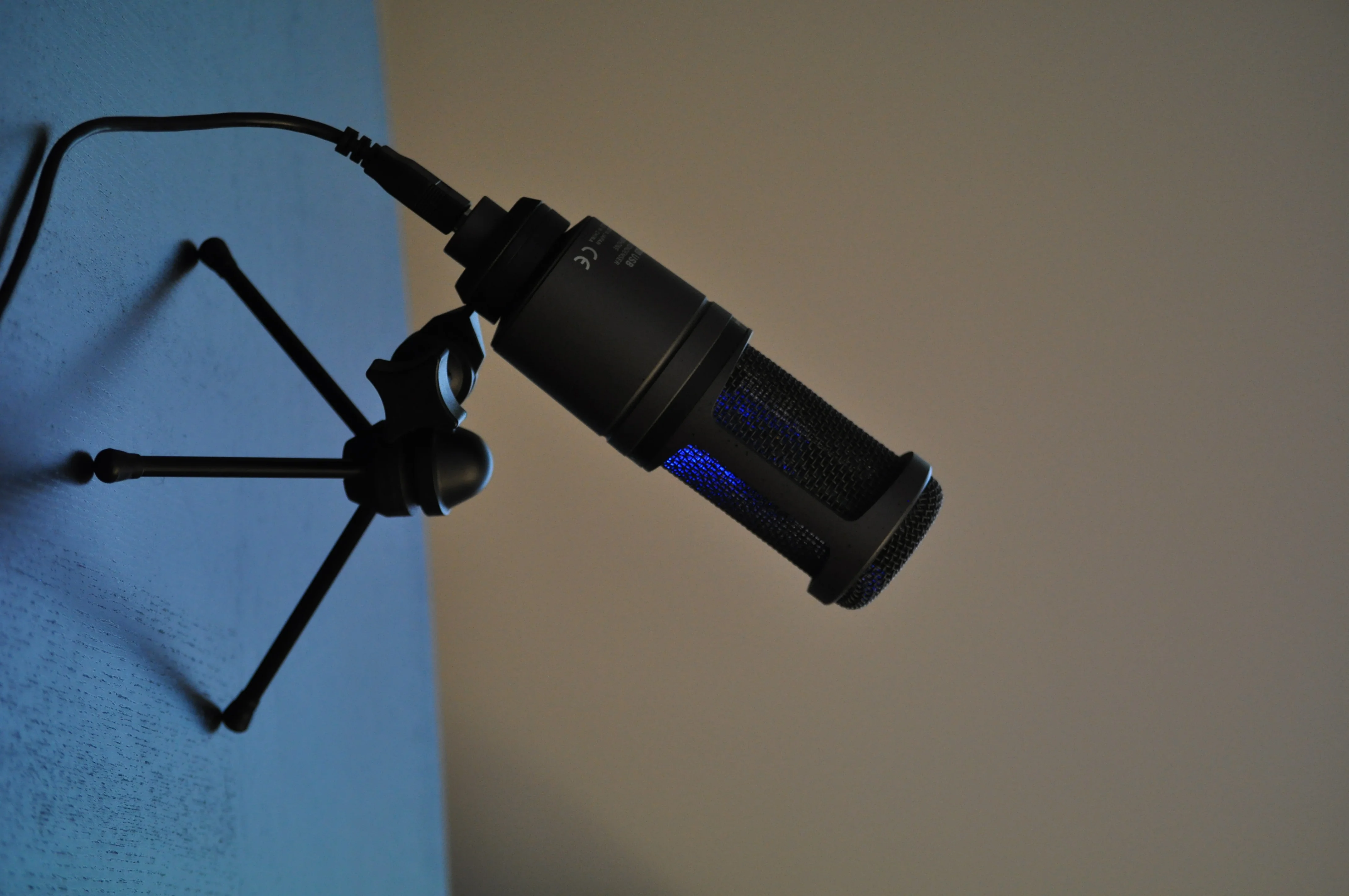
Large-diaphragm condenser. A solid, affordable entry into the XLR world.
Strengths for hypnosis: Very sensitive, captures every
nuance of a quiet voice. Honest sounding, slight presence in the upper mids.
Weaknesses — and this is a serious caveat: Audio-Technica
specifies self-noise at 20 dB. That sits exactly in the band experts classify
as "clearly audible" and explicitly unsuitable for anything below speaking
level — which is our case. As long as you speak at normal volume the AT2020
is a fine budget entry; for whispered passages that clients later listen to
on headphones it is too noisy — VoxClean catches a
good part of that, but a microphone that is quieter to begin with simply
starts from a better place. On top of that, being a condenser it is
uncompromisingly dependent on room acoustics.
Ideal for: Entry into XLR on a small budget — if your room
is quiet and you don't whisper. If you work very quietly, reach for
the RØDE NT1 (5th generation, approx. €190) instead: at 4 dB-A self-noise it
is considered the quietest studio condenser on the market and offers XLR
and USB. It, too, wants to be spoken into closely, otherwise it
draws in the room.
Lavalier option for mobile hypnotists
Rode Wireless ME / Wireless GO II — approx. €200–380
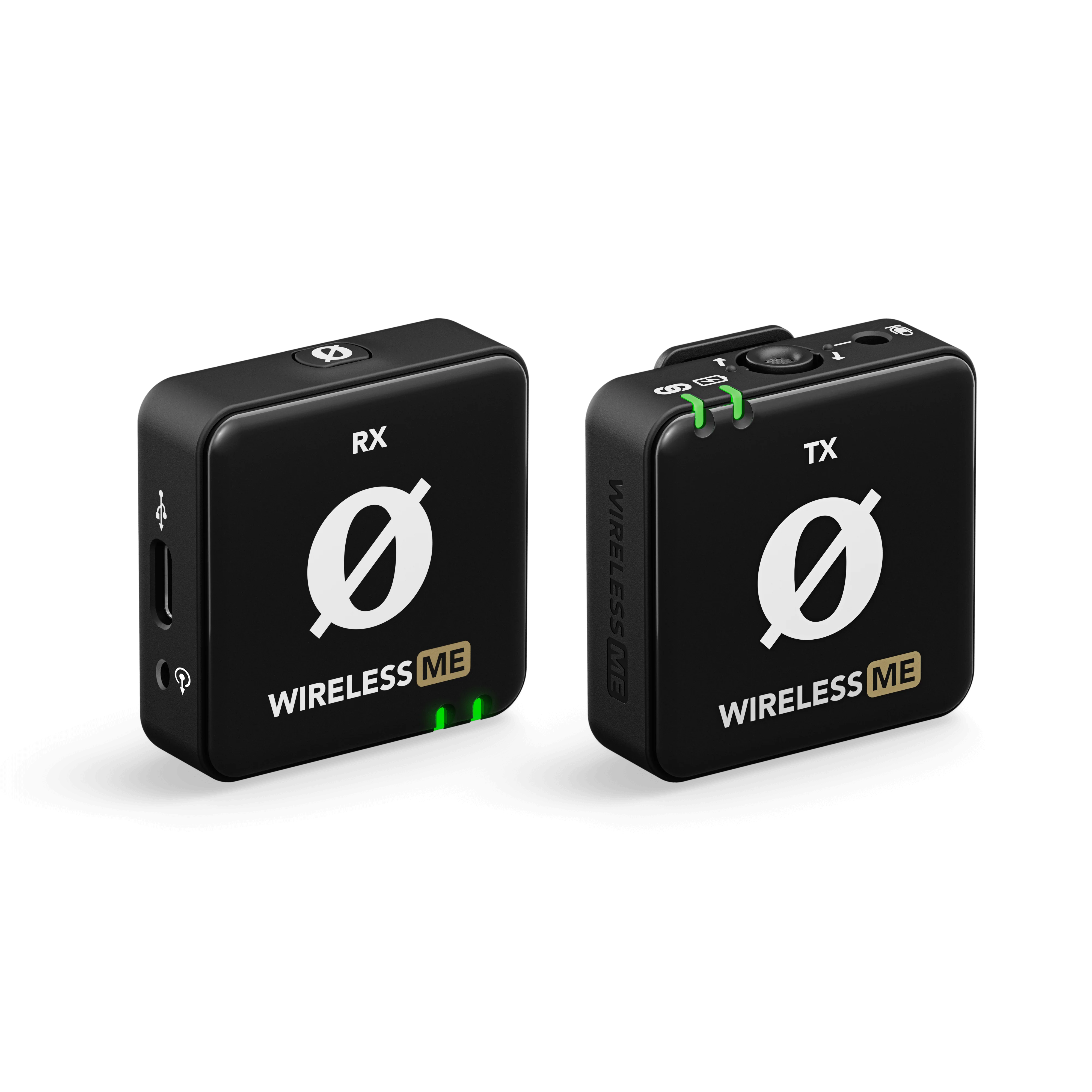
A wireless lavalier system: a transmitter on your lapel, a receiver at your computer or camera. Worth knowing, because it is often misunderstood: the receiver is not camera-only — it doubles as a USB microphone. Exactly how that works is spelled out below.
Getting the wireless mic into your computer — in four steps
- Plug in the receiver. The receiver (RØDE calls it "RX") has a USB-C socket. From there, run a data cable to your computer — USB-C to USB-C, or USB-C to USB-A on older laptops. Careful: a charge-only cable without data lines will not work. Current models ship with the right cable in the box.
- Install nothing. No driver required — the device registers as a standard USB audio device. Windows and macOS pick it up immediately.
- Select it as your microphone. In Windows, Zoom, Teams
or in Hypnotika it appears under its product name, e.g.
Wireless GO RX. Pick it as the mic — done. - Switch it to "Merge" (the step almost everyone forgets). The receiver carries two channels. Left on "Split", your voice ends up on the left channel only — clients on Zoom then hear you one-sided or too quietly. In "Merge" mode your voice sits on both channels. RØDE points this out explicitly in its own Zoom guide.
The receiver draws power from the USB cable; only the transmitter on your lapel runs on its battery (around 7 hours — plenty for several sessions). Headphone monitoring: the current models (Wireless GO Gen 3, Wireless PRO) have a proper headphone output on the receiver, the older ME and GO II do not.
Strengths: Hands-free, constant distance to mouth, wireless,
built-in recorder in the transmitter as backup.
Weaknesses: The tiny clip-on capsule hisses noticeably more
than a studio microphone (manufacturer figures sit around 20–27 dB-A). On
very quiet, whispered passages that clients later listen to on headphones,
you will hear it. Wind and clothing rustle need to be kept under control.
What helps here: This hiss is exactly what VoxClean, the built-in AI voice enhancement in Hypnotika TranceDeck, works against — it strips microphone hiss, fan noise and light room reverb out of the recording while preserving your voice. That makes a wireless kit far more practical for recorded sessions. It doesn't replace a quieter microphone — but it moves the threshold down noticeably.
Ideal for three situations — none of which is a desk-bound online session:
- In-person sessions where you move around. When your client wears headphones and the music comes from your computer, you can speak while walking through the room, circling them, sitting down beside them — your voice stays equally close and equally loud. With a desk mic, the trance voice would shift with every step.
- Workshops, groups, outdoor hypnosis. The classic case: speaking freely in front of people and still getting a clean recording.
- Marketing videos for Instagram, TikTok or YouTube. For many hypnosis coaches the real added value: the same kit plugs into a smartphone via jack or USB-C and delivers usable audio for reels — far better than the phone's own mic, and you are not tied to a tripod. That makes the purchase pay off if you produce content anyway.
Model note (as of August 2026): RØDE no longer lists the Wireless ME and Wireless GO II in its current line-up — both are still on sale and still get firmware updates (the ME at times heavily discounted). The current models are the Wireless Micro (cheapest entry, receiver without a battery, just plug it in) and the Wireless GO Gen 3 (with headphone output and automatic gain assistance).
Accessories — no place to skimp
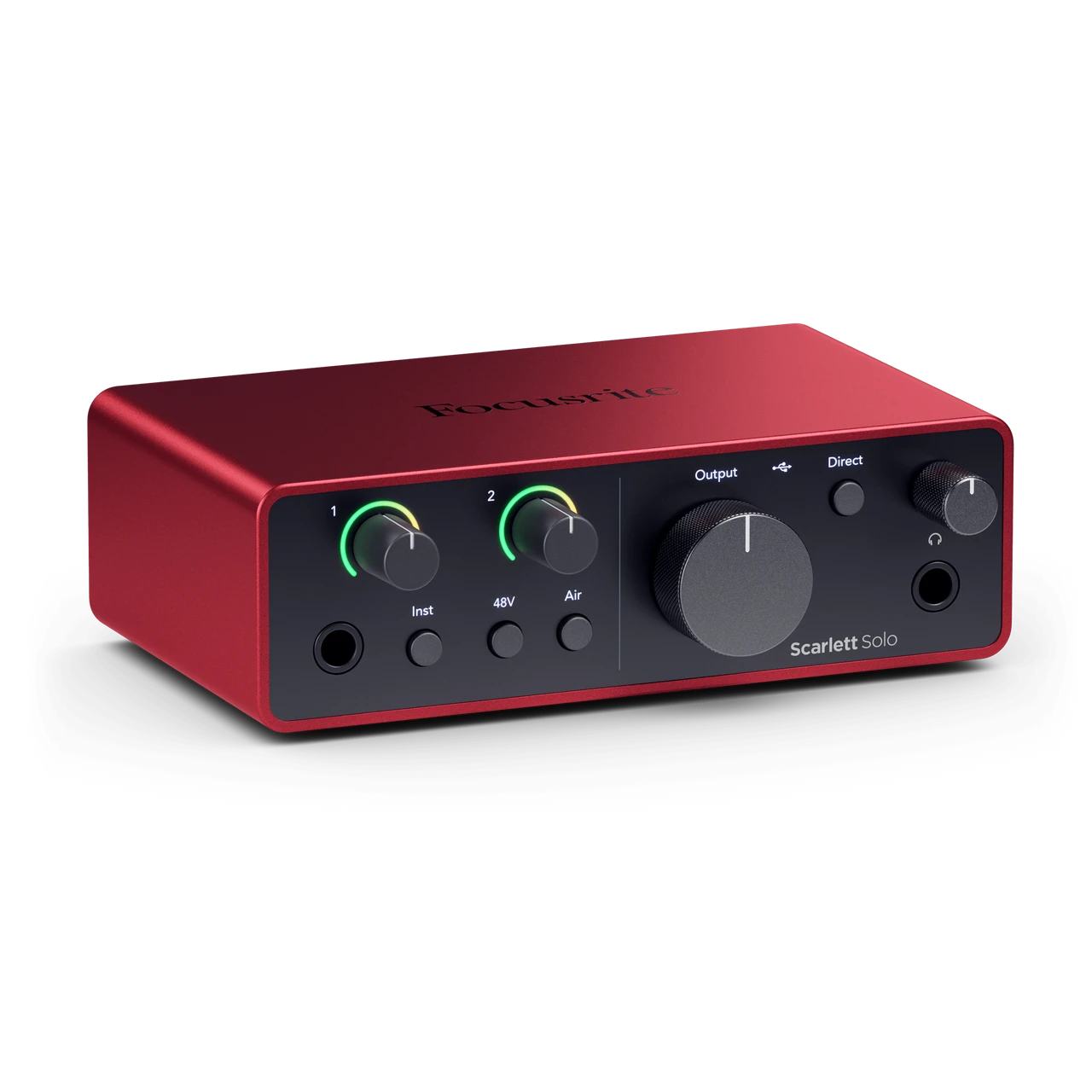
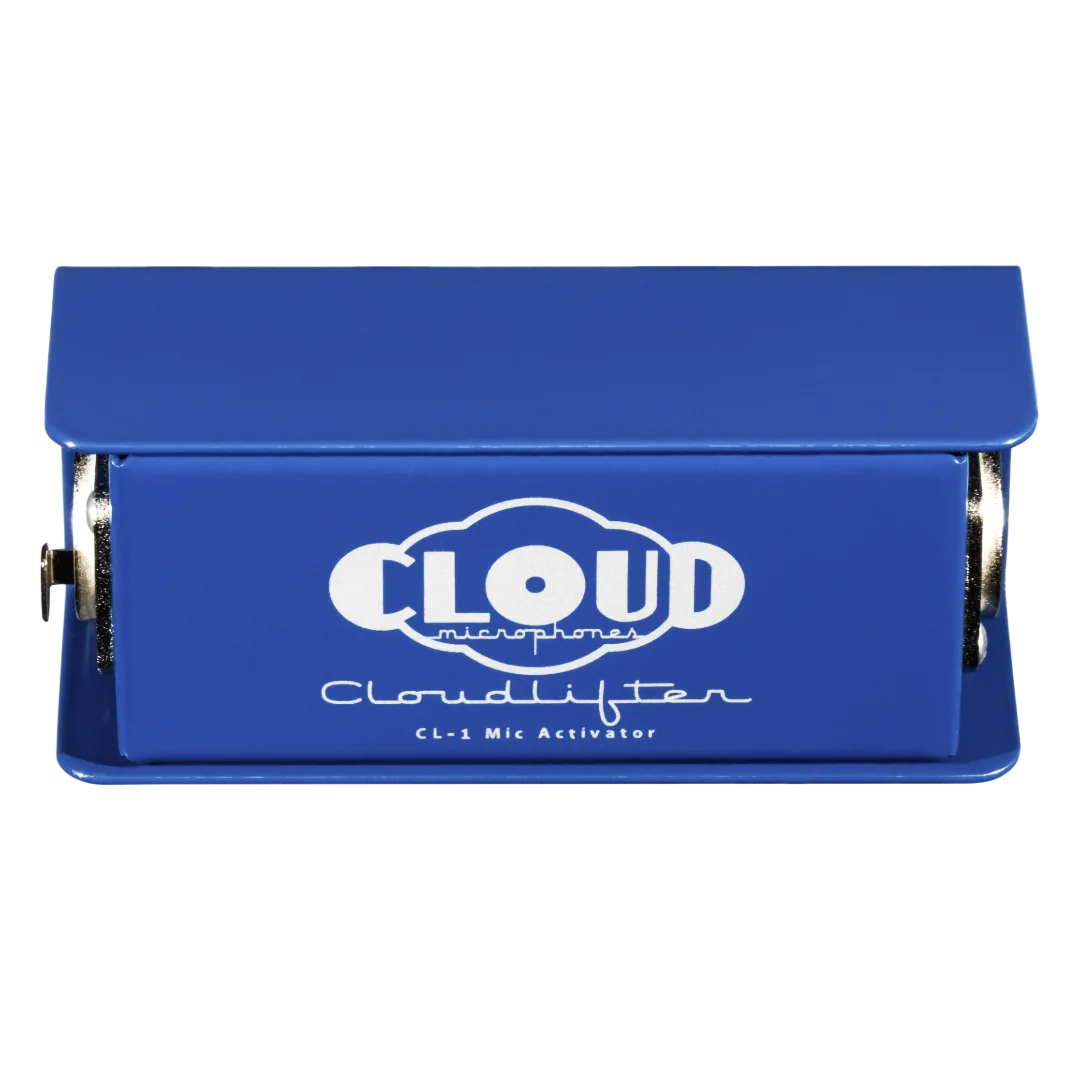
- Audio interface (for XLR): Focusrite Scarlett Solo (around €110) for entry, Scarlett 2i2 or Audient iD4 (€140–180) for more headroom. For SM7B / strong dynamic mics additionally a Cloudlifter (€170) or Dynamite (€100).
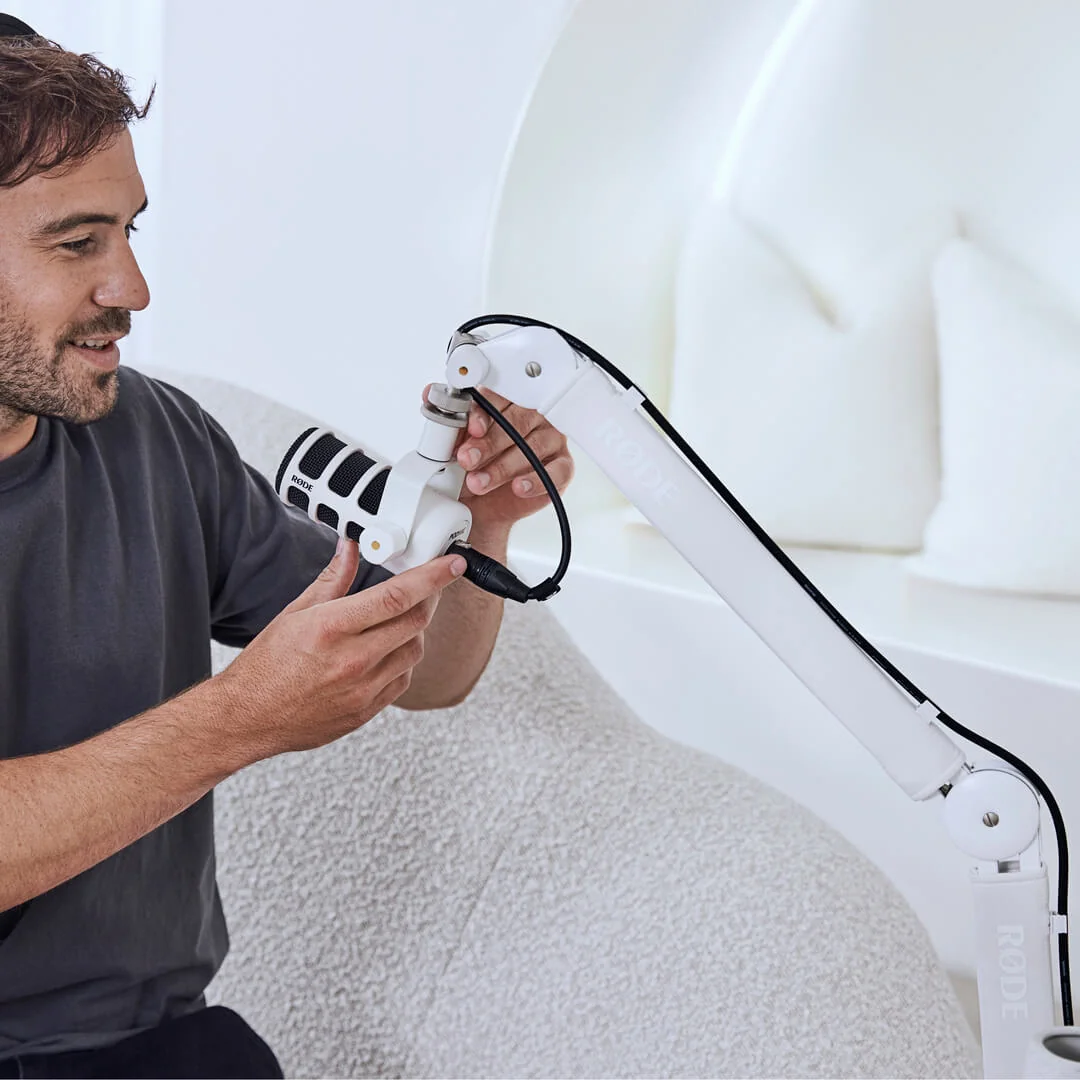
- Boom arm: Rode PSA1+ (around €120) — frees you from desk thumping and allows free positioning. Without a boom arm, every bump, every keystroke, every chair shift goes onto the recording.
- Pop filter: Double-layered nylon filter for €15–25. Mandatory for condensers. With the SM7B the built-in foam is often enough.
- Shock mount: Included with most mics. If not: €30–50 extra. Prevents footstep noise on the floor from being picked up.
Proximity effect — friend or foe?
The proximity effect is a physical phenomenon of all pressure-gradient microphones (which means almost all cardioid microphones). The closer you speak to the diaphragm, the more the low frequencies get boosted — the voice sounds fuller, bassier, more intimate.
For hypnosis, that's often exactly what you want. A warm, full voice from 5–10 cm distance to the microphone sounds trustworthy, grounded, calm — everything a trance induction needs. With condenser mics the effect is weaker, so go for 15–30 cm distance there, otherwise it gets muddy.
With whispered suggestions the distance is often halved. With dynamic mics you can come right up to the lips (3–5 cm) — that's the "ASMR range" where the most intimate vocal warmth happens. Pop filter becomes doubly important then, and with plosive consonants (p, b, t) speak slightly off-axis, not directly into the diaphragm.
Room acoustics — more important than the microphone
A €200 microphone in an acoustically treated room sounds better than a €500 microphone in a reverberant living room. This is especially true for condensers, but even dynamic mics benefit.
- Quick measures (free): Close heavy curtains, put a carpet on the floor, place a bookshelf on the opposite wall, drape a blanket over your head while recording (the classic "pillow fort" trick from voiceover work).
- Solid measures (€100–200): Acoustic panels behind the microphone (Auralex, t.akustik). For a small hypnosis setup, 4–6 panels at 30×30 cm are enough.
- Avoid: Bare walls directly behind the microphone, empty rooms, rooms with audible echo. If a room "rings" when you clap, it's unsuitable for recording.
USB versus XLR in practice
USB: Plug-and-play, no interface, ready to go immediately. One cable does it. Downside: microphone and audio converter sit in one housing — if it fails, replace the whole thing. Limited upgrade path.
XLR: Bigger investment (microphone + interface + cable + possibly preamp). But: every element separately replaceable, better preamps, often better self-noise, lifelong usable. A good XLR setup lasts 15–20 years.
Recommendation for most hypnotists: Start with the Shure MV7+ (USB+XLR hybrid) — start as USB, expand later with an audio interface without replacing the microphone. If you want pro-level from the start and have a quiet room: SM7B + Scarlett Solo + Cloudlifter.
One microphone for hypnosis and a podcast — possible?
This question comes up a lot, and it is a fair one: many hypnosis coaches eventually start a podcast or a YouTube channel. Do you have to choose — or is there one microphone that covers both?
Short answer: yes — and there is only one rule to follow.
Buy for the hypnosis criterion, not the podcast one. The two sets of requirements are not equal: hypnosis is stricter on two counts and looser on none. A microphone that carries a whispered suggestion cleanly will handle a podcast effortlessly. The reverse is not true.
Why hypnosis is the harder test
First, self-noise. On a podcast you speak at normal volume — the signal sits far above the microphone's noise floor. In hypnosis you speak quietly, sometimes in a whisper, and that margin shrinks. Microphone maker Neumann offers a useful scale: below 10 dB-A counts as "extremely low noise", 11–15 dB-A as "still very good", 16–19 dB-A as "good enough for most purposes" — and from 20 dB-A upwards as clearly audible and explicitly not suitable for anything below speaking level. That is precisely where the hypnosis voice lives. For us that means: ideally below 15 dB-A, and from 20 dB-A it gets critical — a criterion that simply does not matter in everyday podcasting.
Second, movement. On a podcast you sit still in front of the mic at a constant distance. In a 45-minute session you lean back, turn your head, reach for the mouse. With most directional microphones that changes two things at once: the level and the tone (the proximity effect makes a voice fuller up close and thinner further away). On a podcast that effect is welcome warmth — in trance, a wandering voice feels restless.
The concrete dual-use picks
- The all-rounder: Shure MV7+ (approx. €270–290). Not by accident our recommendation above — this is a podcast microphone by design and still meets the hypnosis criterion. Dynamic (forgiving of an untreated room), USB and XLR, built-in preamp, and an auto-level function that follows a fluctuating speaking volume. If you want to do both and buy only once: this one.
- If the podcast will have guests: Shure MV7i (approx. €330–390). Same principle, but with a second input for a guest mic — no audio interface needed. Note: it has an XLR input, but no XLR output, so it is not a stepping stone to a classic studio chain.
- Affordable dual entry: RØDE PodMic USB (from approx. €170). Also dynamic, also USB and XLR, with built-in processing. Attractively priced — though its built-in automation is tuned for podcast levels (see the next paragraph).
- The pro route: Shure SM7B (from approx. €390) — the podcast classic. Ideal in tone for hypnosis, but gain-hungry: it needs an interface with plenty of clean amplification. The SM7dB variant (from approx. €510) has that amplifier built in and makes extra boxes unnecessary.
The one pitfall: defuse the podcast automation
Modern podcast microphones ship with sound processing: noise reduction, a "noise gate" that mutes quiet passages, automatic level control. At podcast speaking volume that is a blessing — for hypnosis it can do exactly the wrong thing: a noise gate clips the start of whispered words, and auto-levelling pulls up room noise during pauses. If your microphone has built-in processing, switch the noise gate off for hypnosis sessions and test the automation once on a whispered passage. The same goes for noise suppression in Zoom or Teams — for quiet voices the low or medium setting is the safer choice over the most aggressive one.
Bottom line: you do not have to choose. One microphone covers both — as long as you pick it for the quiet voice rather than for the podcast marketing. What you additionally need is modest: a boom arm so the mic isn't sitting on your desk on camera, and closed-back headphones for monitoring.
All models at a glance
The key criteria side by side — sorted by suitability for a quiet hypnosis voice. The detailed assessment of each model follows below.
| Model | Connection | Price | Self-noise | Quiet voice | Podcast |
|---|---|---|---|---|---|
| Shure MV7+ dynamic |
USB + XLR | €270–290 | —* | very good auto-level, forgives the room |
very good |
| RØDE NT1 5th Gen condenser |
XLR + USB | approx. €190 | 4 dB-A best in class |
very good needs a quiet room |
very good |
| Shure SM7dB dynamic |
XLR | from €510 | —* | very good amplifier built in |
very good |
| Shure MV7i dynamic |
USB + XLR input |
€330–390 | —* | very good | very good guest input |
| Shure SM7B dynamic |
XLR | from €390 + booster |
—* | good needs 65–70 dB gain |
very good |
| RØDE PodMic USB dynamic |
USB + XLR | from €170 | —* | good switch the noise gate off |
very good |
| RØDE NT-USB+ condenser |
USB | €150–190 | not published predecessor: 16 dB-A |
good needs a quiet room |
good |
| Electro-Voice RE20 dynamic |
XLR | from €622 | —* | good stable when you move |
very good |
| Audio-Technica AT2020 condenser |
XLR | approx. €90 | 20 dB | limited not for whispering |
good |
| RØDE wireless kit lavalier, condenser |
USB-C at the receiver |
€86–155 | approx. 20–27 dB-A | limited but mobile + video |
limited |
| Blue Yeti condenser |
USB | €100–130 | approx. 20 dB-A never published officially |
not recommended | good |
* Why dynamic microphones show no noise figure: Manufacturers only quote self-noise for condenser microphones — dynamic mics have no built-in electronics that could hiss. Their noise only appears through the amplification they require. So what matters for them isn't the spec sheet but whether your preamp delivers enough clean gain — for a whispered voice, roughly 65–70 dB. Prices: as of August 2026, German retail.
Quick recommendation by budget
- Up to €200: RØDE NT-USB+ (USB) — if your room is acoustically okay. For especially quiet voices: RØDE NT1 5th generation (XLR+USB, 4 dB-A self-noise).
- €200–350: Shure MV7+ (USB+XLR) — most flexible all-round choice, and the best dual-use pick for hypnosis and a podcast.
- €400–700: Shure SM7B + an interface with plenty of gain (XLR) — pro-level, perfect for a dedicated practice. Without the amplifier fuss: SM7dB.
- Mobile & marketing: a RØDE wireless kit (currently Wireless Micro or Wireless GO Gen 3) — for in-person sessions where you move around, for workshops, and for reels and videos.
I wouldn't recommend the Blue Yeti for serious hypnosis recordings — the money saved comes back to bite you on the first audible hiss in a quiet suggestion that the client listens to at home on their hi-fi.
How Hypnotika TranceDeck improves your microphone signal further
Hypnotika TranceDeck automatically mixes your voice with the background music and produces the MP3 recording for your clients. Four built-in features help even cheaper microphones deliver good results:
- VoxClean — AI voice enhancement: A small AI listens to your recording and removes everything that isn't your voice: air conditioning, fan hum, light room reverb and microphone hiss. Exactly the point where cheaper and mobile microphones otherwise fall down with quiet voices. The strength is adjustable — from gentle to strong. The model runs entirely offline on your computer (around 17 MB, no data goes online — GDPR-wise uncritical). Honestly though: it isn't a win for every voice and every room — it's worth a quick test and comparison.
- Auto-compression: A built-in voice compressor makes quiet suggestions more audible and tames louder transition instructions. The recording gets a consistent level, whether you're whispering or speaking normally.
- Mic boost +6 dB: Default level boost for quiet voices so the microphone doesn't disappear under the music mix during suggestions.
- Auto-ducking: The moment you speak, the music dims automatically. The moment you pause, it comes back. This works in the recording too.
Of course this doesn't replace a good microphone — but it makes the sound gap between an entry-level mic and a pro mic smaller than it would otherwise be.
My own setup: Shure MV7+ (USB into MacBook) for most online sessions, plus pop filter and a simple boom arm. Acoustic panels behind the desk. Has been working reliably for months and sounds warm enough for trance inductions.