Online hypnotherapy over Zoom, Microsoft Teams or Google Meet
Online hypnotherapy with audio quality that sounds like in-person.
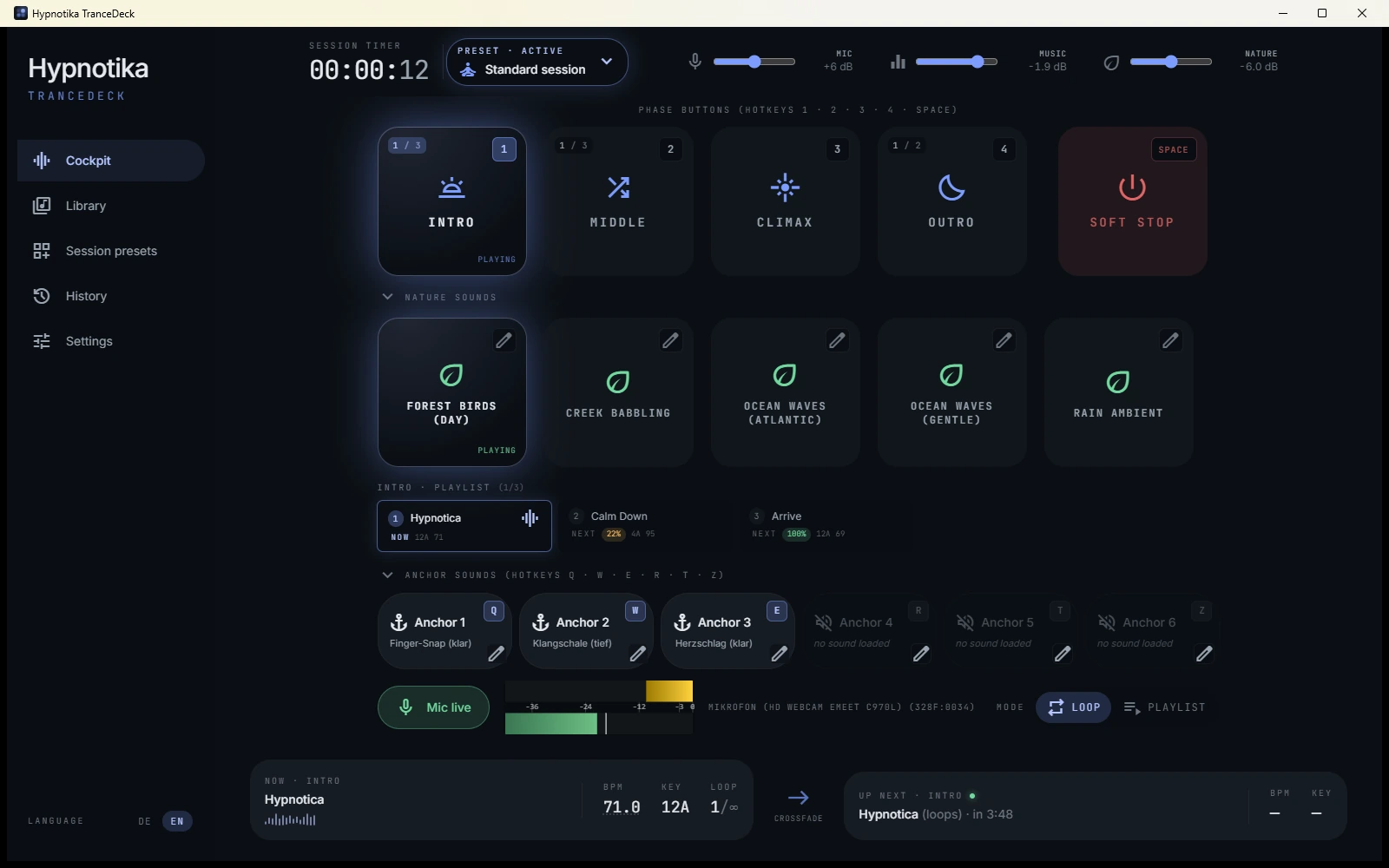
Online hypnotherapy often fails on a single technical hurdle: how do I get music AND voice cleanly into Zoom, Teams or Google Meet — without echo, without the client hearing music in chunks? Hypnotika TranceDeck solves this. With the free helper VB-Cable, the software pipes music directly into your video conferencing tool. Mic-ducking automatically dips the music when you speak. Clean session recording included — ready as a takeaway for your client.
14-day money-back guarantee · Compatible with Zoom, Teams, Google Meet · Windows 10/11
The most common problems with online hypnotherapy
Four pain points that make online hypnotherapy difficult.
Music doesn't reach the client
If you play music through speakers and Zoom uses your microphone, the music reaches your client only as a distorted echo. It loses its trance-inducing effect entirely.
Echo from audio routing
Naive setups (music + voice through the same microphone) create feedback loops — the client hears you doubled, the mood is gone.
Voice over music never balanced
Manually turning down the music while you speak — and forgetting to turn it back up. With online sessions even more pronounced because you can't monitor the audio mix live.
No session recording as client takeaway
Easy with in-person sessions and an audio recorder. With online sessions: Zoom recording = voice only, no music. What you actually want — the full mix as MP3 — isn't trivial.
Solution: VB-Cable + Hypnotika TranceDeck
Online hypnotherapy setup in 5 minutes.
- Install VB-Cable (free, 5 MB, from vb-audio.com) — this is a virtual audio cable between Hypnotika and Zoom/Teams/Meet.
- Launch Hypnotika and select „CABLE Input" as audio output — the music now goes into the virtual cable.
- In Zoom/Teams/Meet, set your normal microphone AND „CABLE Output" as additional audio input — your client now hears music + voice in parallel, cleanly mixed.
- Activate mic-ducking in Hypnotika — done. When you speak, the music dips automatically. When you stop, it returns.
- Activate session recording — at the end of the session, the mix is in your recording folder as MP3. With client consent, usable as a takeaway.
Detailed step-by-step guide with screenshots: audio setup for online hypnotherapy.
Frequent questions about online hypnotherapy
Short answers.
Does Hypnotika work for online hypnotherapy over Zoom, Teams and Google Meet?
Yes, all three platforms are supported. Setup is identical — VB-Cable as virtual audio cable, then in your video conferencing software select CABLE Output as audio input. No platform-specific adjustments needed.
Do I need a professional microphone for online hypnotherapy?
Not strictly. The integrated laptop microphone is enough to start. But: a USB microphone (e.g. Blue Yeti, Rode NT-USB Mini, from €70-100) noticeably improves voice quality and makes mic-ducking more precise because the mic detects your speech activity more cleanly.
Can I record the online hypnotherapy session?
Yes. Hypnotika records the full mix (voice + music) locally — as a clean MP3 file in your recording folder. With client consent you can share the file (GDPR-compliant). Zoom recording captures voice only; Hypnotika captures the full mix.
Does the client hear music in good quality despite online transmission?
Yes, because VB-Cable pipes the music digitally into Zoom/Teams/Meet — not via speakers + microphone, but as a second audio input. The music arrives at the client in original bitrate, no quality loss from room acoustics.
Where does the processing happen — in the cloud or on my machine?
Entirely on your machine. No cloud transmission of audio data. Hypnotika runs offline — only the video conferencing connection to your client goes over the internet. Recordings stay local. GDPR-compliant by design.
Online hypnotherapy that sounds professional.
Lifetime €149 · Practice License €199 (introductory price until 30 September 2026, then €249). 14-day money-back guarantee.
Get it · from €99 →